> ## Documentation Index
> Fetch the complete documentation index at: https://docs.paycashless.com/llms.txt
> Use this file to discover all available pages before exploring further.
# Checkout
The Checkout API allows your business to generate a secure link for collecting payments via our seamless checkout widget. This is the simplest way to collect payments through bank transfers, with minimal integration effort.
The checkout allows users to make **bank transfer payments** directly from their bank accounts with ease.
They’re guided through a simple, secure flow to complete the transaction.
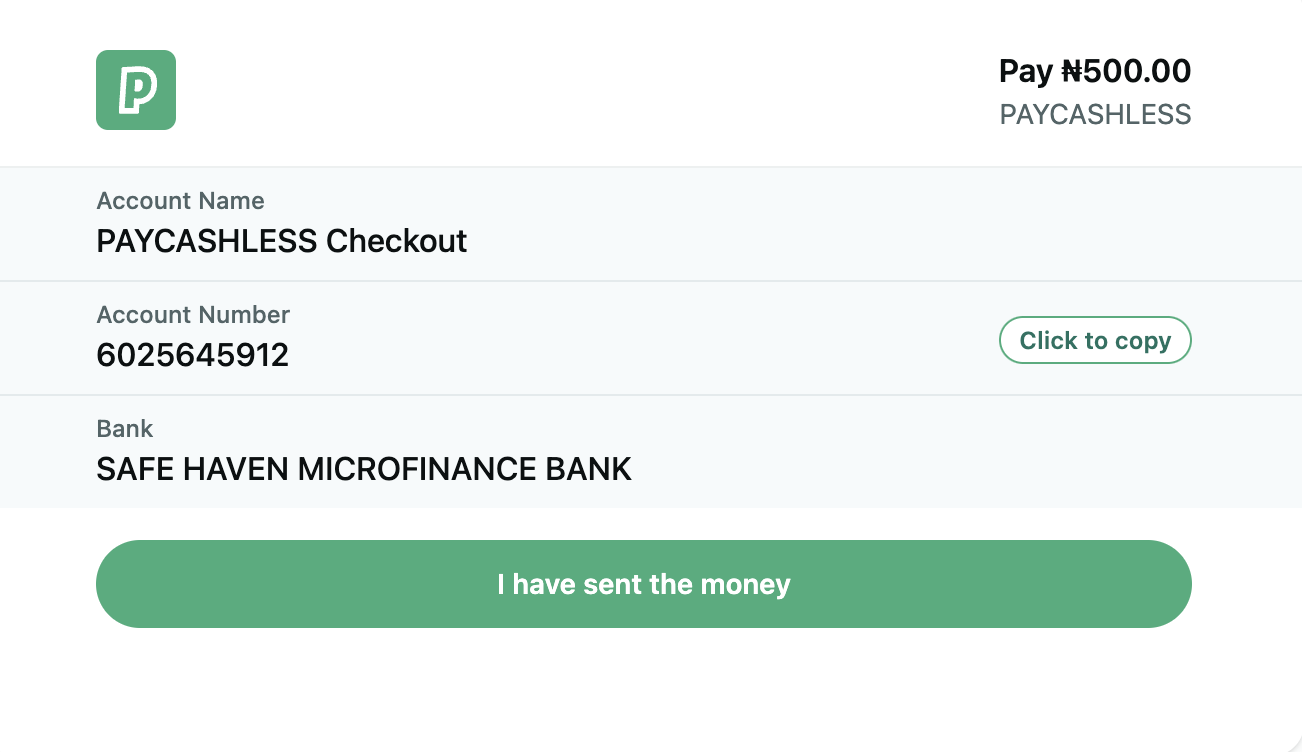
Once presented with the checkout, the user initiates a bank transfer using the provided account or instructions. We automatically
reconcile the payment in real time.
After payment confirmation, the user is redirected to your specified `returnUrl`, where you can show a confirmation or
order success page.
```json theme={null}
{
"reference": "order_123456",
"amount": {
"value": 50000,
"currency": "NGN"
},
"customer": {
"email": "customer@example.com",
"name": "Customer Name"
},
"returnUrl": "https://yourwebsite.com/payment/complete",
"metadata": {
"orderType": "subscription"
}
}
```
```json theme={null}
{
"id": "pi_begxqdhuwadeuhbysv0lv49h926i6mnn",
"reference": "order_123456",
"amount": {
"value": 50000,
"currency": "NGN"
},
"authorizationUrl": "https://checkout.Paycashless.com/atkqlobrpaun",
"returnUrl": "https://yourwebsite.com/payment/complete",
"expiresAt": "2025-05-15T10:53:44.361Z"
}
```